

L’articolo è stato aggiunto alla lista dei desideri








EBOOK IN LINGUA STRANIERA
 E-mail
 Facebook
 LinkedIn
 Twitter
 WhatsApp
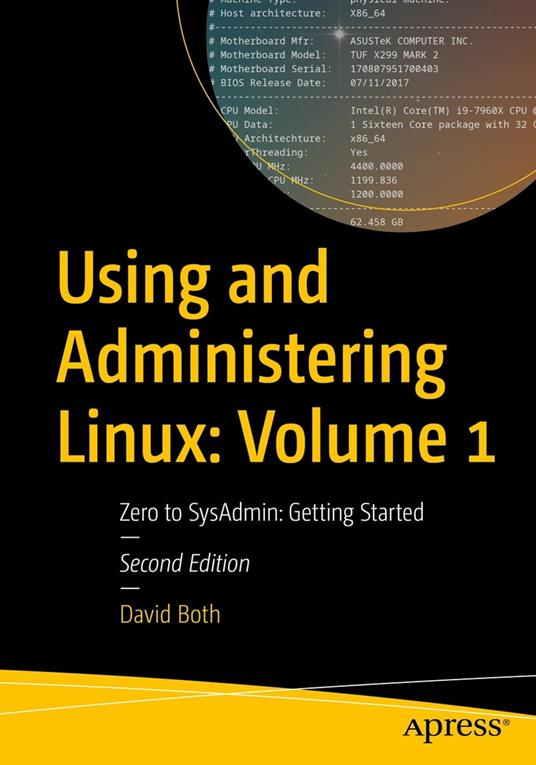
Using and Administering Linux: Volume 1
(0)
Cliccando su “Conferma” dichiari che il contenuto da te inserito è conforme alle Condizioni Generali d’Uso del Sito ed alle Linee Guida sui Contenuti Vietati. Puoi rileggere e modificare e successivamente confermare il tuo contenuto. Tra poche ore lo troverai online (in caso contrario verifica la conformità del contenuto alle policy del Sito).
Grazie per la tua recensione!
Tra poche ore la vedrai online (in caso contrario verifica la conformità del testo alle nostre linee guida). Dopo la pubblicazione per te +4 punti 
74,35 €
+740
punti 
Venditore: IBS

Acquista online
Scaricabile subito
Articolo acquistabile con Carta del Docente

Articolo acquistabile con Carta Cultura Giovani e Carta del Merito

Articolo acquistabile con Carta della Cultura

Dati e Statistiche
 Salvato in 0 liste dei desideri
Salvato in 0 liste dei desideri
Using and Administering Linux: Volume 1
Scaricabile subito
74,35 €
74,35 €
Scaricabile subito
Altre offerte vendute e spedite dai nostri venditori
Ebook in lingua straniera
Using and Administering Linux: Volume 1
Altri venditori
Prezzo e spese di spedizione
Nuovo
Scaricabile subito

Venduto e spedito da
IBS
Spedizione Gratis
74,35 €
Altri venditori
Prezzo e spese di spedizione
Nuovo
Scaricabile subito
Venduto e spedito da
IBS
Spedizione Gratis
74,35 €
Altri venditori
Prezzo e spese di spedizione

Tutti i formati ed edizioni
Promo attive (0)
Learn to be a Linux sysadmin and an expert user of the Linux operating system, even with no previous Linux experience. This second edition of the popular and highly rated Linux self-study training course has been fully updated to Fedora Linux 37 with expanded and revised content and figures as well new chapters on the BTRFS file system, using Zram for swap, NetworkManager, automation with Ansible, and systemd. Like the previous version, this edition has been reviewed for technical accuracy by a highly respected Linux expert and will prepare you to manage complex systems with ease and equip you for a new career. It has also been reviewed by a student who took this course to ensure its readability and flow for those with little or no previous experience with Linux. In this first volume of the training course series, you will learn about operating systems in general and Linux in particular, and explore the Linux philosophy for SysAdmins in preparation for the rest of the course. This book provides you with the tools necessary for mastering user management; installing, updating, and deleting software; and using command line tools to do performance tuning and basic problem determination. You'll begin by creating a virtual network and installing an instance of Fedora – a popular and powerful Linux distribution – on a VirtualBox VM that can be used for all of the experiments on an existing Windows or Linux computer. You’ll then move on to the basics of using the Xfce GUI desktop and the many tools Linux provides for working on the command line including virtual consoles, various terminal emulators, Bash, and other shells. Explore data streams and the Linux tools used to manipulate them, and learn about the Vim text editor, which is indispensable to advanced Linux users and system administrators and be introduced to some other text editors. You’ll also see how to install software updates and new software, learn additional terminal emulators, and some advanced shell skills. Examine the sequence of events that take place as the computer boots and Linux starts up, configure your shell to personalize it in ways that can seriously enhance your command line efficiency, and delve into files and filesystems. What You Will Learn Install Fedora Linux and basic configuration of the Xfce desktop Access the root user ID, and the care that must be taken when working as root Use Bash and other shells in the Linux virtual consoles and terminal emulators Create and modify system configuration files with Use the Vim text editor Explore administrative tools available to root that enable you to manage users, filesystems, processes, and basic network communications Configure the boot and startup sequences Who This Book Is For Anyone who wants to learn Linux as an advanced user and system administrator at the command line while using the GUI desktop to leverage productivity.
Leggi di più
Leggi di meno
Compatibilità:
Tutti i dispositivi (eccetto Kindle) Scopri di più
Layout:
Reflowable
EAN:
9781484296189

L'articolo è stato aggiunto al carrello
Formato:
Gli eBook venduti da IBS.it sono in formato ePub e possono essere protetti da Adobe DRM. In caso di download di un file protetto da DRM si otterrà un file in formato .acs, (Adobe Content Server Message), che dovrà essere aperto tramite Adobe Digital Editions e autorizzato tramite un account Adobe, prima di poter essere letto su pc o trasferito su dispositivi compatibili.
Cloud:
Gli eBook venduti da IBS.it sono sincronizzati automaticamente su tutti i client di lettura Kobo successivamente all’acquisto. Grazie al Cloud Kobo i progressi di lettura, le note, le evidenziazioni vengono salvati e sincronizzati automaticamente su tutti i dispositivi e le APP di lettura Kobo utilizzati per la lettura.
Clicca qui per sapere come scaricare gli ebook utilizzando un pc con sistema operativo Windows
L’articolo è stato aggiunto alla lista dei desideri
